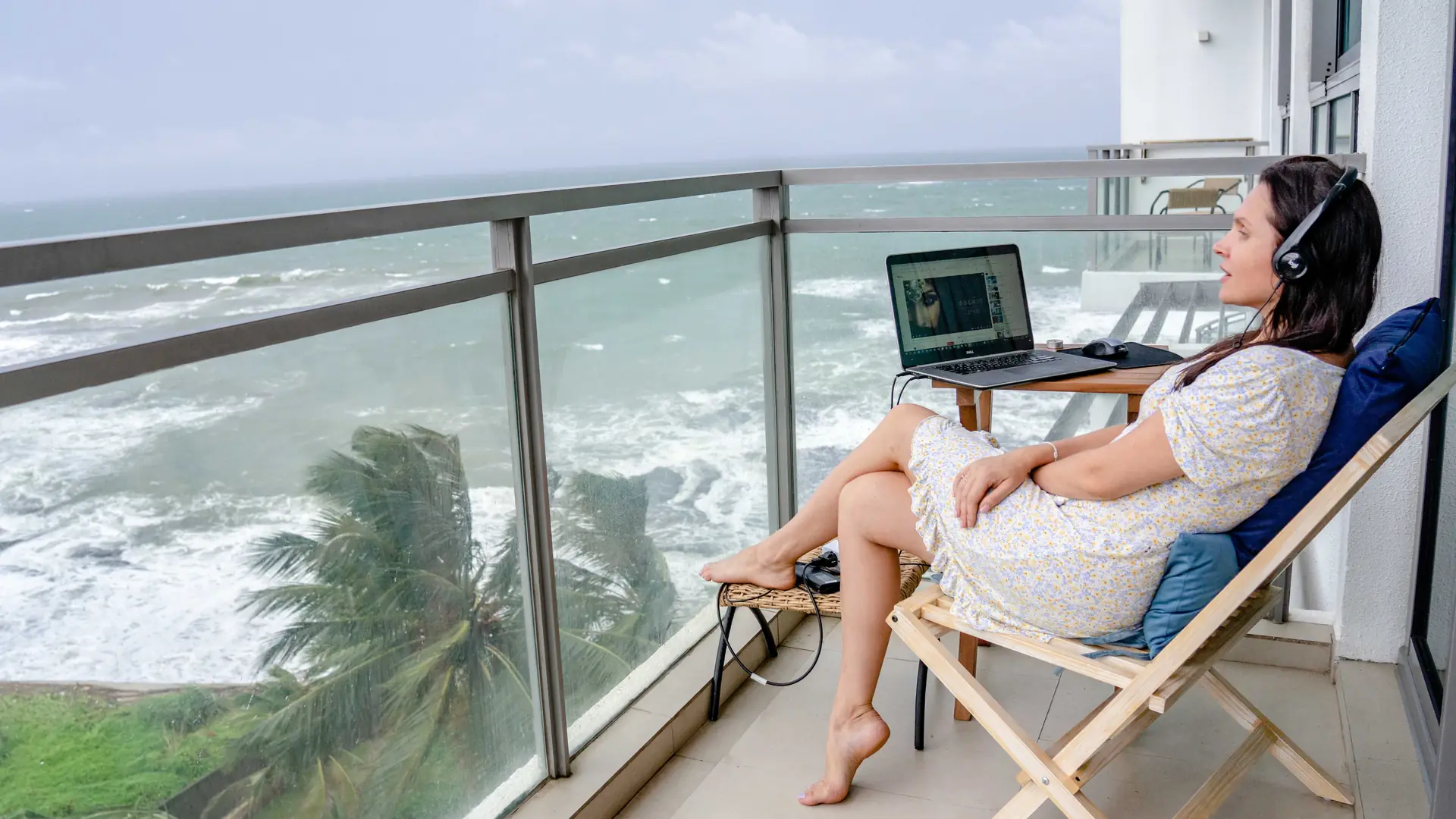
A cruise can give you ocean views between meetings, but that does not make it a floating office.
Sources and facts checked: September 14, 2026 (America/New_York). Wi-Fi package names, prices, VPN rules and device policies change and vary by ship. Check and verify the exact tier, price and VPN support with the cruise line or vendor before you pay.
The real question is not simply, “Does the ship have Wi-Fi?” It is whether the connection, schedule, privacy, employer policy, and backup plan are good enough for the work you need to do. The answer can vary by cruise line, ship, itinerary, weather, network congestion, and the specific tools your employer requires.
Treat remote work at sea as a risk-managed travel decision, not a promise that every Zoom call will sail smoothly.
What connectivity actually looks like
Several major cruise lines now use Starlink or other high-bandwidth satellite systems. That improves the baseline, but it does not eliminate dead zones, congestion, blocked services, or weather-related interruptions.
| Cruise line | Current work-relevant options | Practical reading |
|---|---|---|
| Royal Caribbean | VOOM Wi-Fi is advertised across the fleet through Starlink. The higher tier supports streaming and video calls. | VPN use may work, but Royal Caribbean does not guarantee every VPN or protocol. |
| Norwegian Cruise Line | The Voyage Wi-Fi Pass covers browsing, email, and messaging. The Streaming Voyage Wi-Fi Pass adds streaming, video calls, and VPN access. | Choose the streaming tier if your work requires conferencing or a corporate VPN. |
| Virgin Voyages | Basic Wi-Fi is included. Premium supports video calls. Work From Sea is the line’s remote-work option for video meetings and VPN access. | VPN should be assumed to require the Work From Sea tier. Basic Wi-Fi covers messaging and browsing. Premium and Work From Sea support streaming, video calls and VPN use, though Virgin Voyages says it can't troubleshoot VPN connections and the Sailor App may not work while a VPN is on. Work From Sea is the tier aimed at remote workers — check and verify with the cruise line. Virgin does not provide VPN troubleshooting. |
| Celebrity Cruises | Basic Wi-Fi is intended for light browsing and messaging. Premium Wi-Fi, powered by Starlink, supports streaming and video chat. | Confirm the exact package and ship before paying, especially if VPN access matters. |
| Princess Cruises | MedallionNet supports messaging and video chat. MedallionNet Max is the higher-performance option associated with streaming and video calls on eligible sailings and fares. | Confirm whether your ship and fare include Classic or Max. Do not assume fleet-wide availability. |
Read the operator’s current package page rather than relying on a screenshot, an old blog post, or a booking-site description. Start with the official Royal Caribbean VOOM guide, NCL internet packages, Virgin Voyages’ Wi-Fi guidance, Celebrity’s Wi-Fi comparison, and Princess MedallionNet information.
Pre-purchase Wi-Fi, but compare the math
Pre-purchasing can be cheaper than waiting until embarkation. A 20–30% saving is a reasonable target on some Royal Caribbean sailings, but it is not a universal cruise-industry rule.
Royal Caribbean says pre-purchasing VOOM in the Cruise Planner is often cheaper than buying onboard. The actual rate depends on the ship, sailing, number of devices, package, and promotion.
Other lines require more caution:
- NCL: Do not assume a standard 20–30% pre-cruise discount. Savings may come through a fare bundle, loyalty benefit, or promotion rather than the timing of the purchase.
- Virgin Voyages: Basic Wi-Fi is generally included, so there may be no standalone purchase to discount. Compare Premium and Work From Sea rates for your specific voyage.
- Celebrity: Wi-Fi may already be included in an eligible fare. If it is not, compare the live pre-cruise price with the onboard rate.
- Princess: Compare the cost of standalone MedallionNet with the total price difference between fare packages that include Wi-Fi.
Use this calculation:
Total cruise cost with Wi-Fi included or added ÷ number of work-relevant days = your real daily cost.
Do not pay for the highest tier automatically. Pay for the tier that matches your actual workload. Email and document editing need less bandwidth than video calls, cloud-based systems, screen sharing, and VPN-dependent applications.
Build a boring, reliable tech stack
Boring is good. Boring gets the report uploaded.
Pack:
- A work laptop with current updates installed.
- A phone with roaming disabled unless you deliberately choose to use it.
- Two charging cables and a compact, cruise-approved charger.
- A battery pack for port days.
- Offline copies of important files, meeting agendas, and contact information.
- Headphones with a working microphone.
- A backup authentication method if your employer requires multi-factor authentication.
- A written list of critical phone numbers in case an account or device fails.
Install and test your VPN before departure. Test it again on day one of the voyage. NCL explicitly identifies VPN access with its Streaming Voyage Wi-Fi Pass ($39.99/day), while the base Voyage Wi-Fi Pass ($29.99/day) supports browsing, email, and messaging only, with no VPN or streaming. NCL also advises discussing VPN limitations with your company's IT department before sailing. On Virgin Voyages, skip Basic for work: Premium and Work From Sea both allow VPNs, but the line doesn't support VPN connections and the Sailor App may stop working while one is on, so switch it off to use the app. Other lines may allow some VPN connections while blocking or throttling specific protocols.
An eSIM can be useful as a port-day backup. Providers such as Airalo and Holafly are examples, not endorsements. An eSIM generally helps only when you are ashore and connected to a supported local network. It is not a replacement for shipboard connectivity at sea.
Do not bring a Starlink terminal or personal router onboard to try to bypass the ship's Wi-Fi. Virgin Voyages' device policy explicitly bans Starlink terminals and personal routers brought on board, and similar restrictions apply across most lines. Confirm the current device policy for your ship before packing networking equipment. Check and verify with the cruise line or vendor.
Never assume that your employer permits work through a personal VPN, public network, third-party eSIM, or shared device. Ask first.
Schedule around time zones, not wishful thinking
Cruise itineraries can cross several time zones, and the ship’s clock may not match the port’s local time. Repositioning cruises can make the change feel more gradual, but gradual does not mean simple.
Before sailing:
- Put the ship’s published schedule into your calendar.
- Add the time zone for the ship and each port.
- Ask meeting organizers to include a time zone in every invitation.
- Confirm whether your employer expects you to work on company time or destination time.
- Build a buffer around daylight-saving changes and itinerary updates.
Early windows, roughly 6–9 a.m., or late-night windows can sometimes be easier for calls because fewer guests are online. Treat that as a planning context, not a rule. Your itinerary, sleep schedule, and employer’s location still matter.
Never schedule your only important presentation during sailaway, tender operations, or a port arrival. That is how a calendar invite becomes a maritime incident.
Make sea days your deep-work days
Sea days are usually the best candidates for focused work because you are not trying to return to the ship, find transportation, or squeeze a museum into a narrow port window.
Use a simple rhythm:
- Reserve mornings for concentrated work.
- Schedule calls during a tested connectivity window.
- Download files before starting.
- Work from a quiet, stable location rather than beside a pool or busy bar.
- Save large uploads and software updates for times when the network is less congested.
- Keep a local copy of anything you cannot afford to lose.
A cabin can be convenient, but it may not be the best environment for every traveler. Solo guests may prefer a quiet public area with predictable hours. Couples, friends, LGBTQ+ groups, and multigenerational families should agree on work boundaries before sailing. “I am technically on vacation” is not a useful office policy.
Treat port days as async catch-up
Port days are excellent for sightseeing and less dependable for live work.
Connectivity may be limited while the ship is maneuvering, anchored, tendering, or moving between cellular coverage areas. Once ashore, local service may be strong, but transportation delays, crowded terminals, weather, and return-to-ship timing remain real risks.
Use port days for:
- Drafting documents offline.
- Reviewing notes.
- Organizing email.
- Recording voice memos.
- Preparing questions for later.
- Completing tasks that do not require live access.
If you must take a call ashore, choose a location with reliable power, privacy, and a clear return plan. An eSIM backup helps only if the port network supports it and your device is configured correctly.
Employer approval and security are your responsibility
A cruise line can sell you a Wi-Fi package. It cannot approve your employer’s security policy.
Obtain written approval before sailing if your work involves:
- Protected health information.
- Financial or regulated data.
- Confidential client material.
- Remote desktop access.
- Corporate VPN requirements.
- Recording or hosting meetings.
- International data-transfer restrictions.
- Company-owned equipment outside approved locations.
Use multi-factor authentication. Lock your screen. Avoid discussing confidential information in public spaces. Do not use an unknown USB drive. Disable automatic connection to unfamiliar networks. Keep company devices with you rather than leaving them in a cabin safe.
You may carry personal liability if a security incident, missed deadline, or unauthorized access occurs because you worked while traveling. Employer approval does not guarantee that the ship’s network will perform adequately.
Solo and group travelers need different guardrails
Solo travelers often have more control over their schedules, which makes it easier to protect quiet work blocks. The trade-off is that you are also the only person carrying the backup plan.
Tell a trusted contact when you have an important meeting. Keep your phone charged. If a call is business-critical, identify a shore-based alternative before sailing.
Groups need a shared calendar. This matters especially for LGBTQ+ group travel and multigenerational trips, where guests may have different work schedules, sleep patterns, mobility needs, and expectations about shared time.
Set two rules:
- Work commitments are respected without making the entire group revolve around one person’s calendar.
- No one treats Wi-Fi access as guaranteed simply because someone paid for a premium package.
Devil’s advocate: why this may not work
The optimistic version says Starlink makes remote work at sea easy. The practical version has more footnotes.
Connectivity can vary by ship, route, weather, network demand, and the service tier attached to your reservation. A VPN may be blocked even when the line advertises VPN access. Video calls can degrade during congestion. Port cellular service can disappear indoors or outside the provider’s coverage area. A cruise line may change package names, restrictions, pricing, or inclusions after you book.
Your employer may also change its position. A manager who approves occasional email may not approve daily video conferences from a ship.
If missing a call would cost you a client, contract, shift, or compliance obligation, choose a vacation plan that does not depend on shipboard internet. The most luxurious work setup is sometimes not working.
Verify before you pay
Ask these questions and obtain written answers:
- Is the exact ship equipped with the advertised Wi-Fi system?
- Which package supports video calls on this sailing?
- Which package supports my specific VPN?
- Is VPN access permitted, supported, or merely possible?
- Does the fare already include Wi-Fi?
- What is the live pre-cruise price compared with the onboard price?
- Does the package cover one device or allow device switching?
- Are there restrictions in specific regions or ports?
- Can the cruise line confirm the package and inclusions by email?
- Has my employer approved the itinerary, device, VPN, and data-handling method?
- What is my offline plan if the connection fails?
- What is my port-day eSIM and return-to-ship backup?
Do not rely on a verbal assurance from a call-center representative. Request written confirmation from the relevant cruise line for the ship, sailing, Wi-Fi tier, video-call capability, VPN access, current price, and applicable restrictions.
Frequently asked
Can I take Zoom or Teams calls from a cruise ship?
Possibly, with the appropriate high-tier package and favorable conditions. The cruise line’s package must support video calls, and the ship’s network may still fluctuate. Test the connection before accepting a work obligation.
Do I need the highest Wi-Fi tier?
Generally, yes, if you require video calls, screen sharing, streaming, cloud applications, or VPN access. You may not need it for downloaded documents, email, and asynchronous work.
Is pre-purchased Wi-Fi always 20–30% cheaper?
No. Royal Caribbean explicitly promotes pre-purchase pricing as the best route to a discount, but exact savings vary. Other lines may offer bundled, loyalty-based, or sailing-specific pricing instead. Compare the live numbers.
Will an eSIM work at sea?
Usually not as a substitute for shipboard Wi-Fi. An eSIM is primarily a port-day backup when your device can connect to a supported local network.
Is a repositioning cruise better for remote work?
It can make time-zone changes easier to anticipate because the itinerary often shifts gradually. It does not guarantee better connectivity, fewer schedule changes, or reliable video calls.
Sources and facts checked: September 14, 2026 (America/New_York). Wi-Fi package and device-policy pages for Royal Caribbean, Norwegian Cruise Line, Virgin Voyages, Celebrity Cruises and Princess Cruises were reviewed on the date shown. eSIM providers are named as examples, not endorsements. Connectivity varies by ship, route, weather and network demand, and package terms change — check and verify with the cruise line or vendor before booking.
Sources
Photographs. A remote worker on a seaside balcony with a laptop — Atlantic Ambience, Pexels Cropped and resized for the web; not otherwise altered. Neither the photographers nor the licensors endorse this article.
This article is general information, not medical, legal, financial or safety advice. OTGG is an independent travel advisor; this article contains no affiliate links. Cruise line and supplier policies, rates, promotions, inclusions, accessibility procedures and deposit schedules change — verify all details with the operator or an accredited travel advisor before booking or payment.
Want to work a few days of your next sailing?
Tell me what your job actually needs — calls, VPN, uploads — and which weeks you can travel. I will match the ship and Wi-Fi tier to the workload, get the package and VPN terms confirmed in writing, and build an itinerary with enough sea days to make it work.
Begin the Journey